
Dell Inspiron 13 7000 Series Quick Start Guide

Quick Start Guide for Dell Inspiron 13 7000 Series.
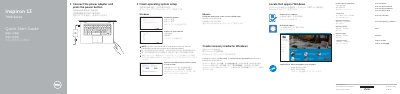

Dell Inspiron 13 7000 Series Quick Start Guide - cover page
Brand
DELL
Category
Laptops
Document type
Quick Start Guide
Language
English
Pages
2
File format
PDF
File size
1 MB
Published
26 November, 2023
Updated
26 November, 2023
MD5 checksum
14C1056639CD8B32F91500FA804E251B

About this manual

This document serves as a Quick Start Guide for the Dell Inspiron 13 7000 Series, providing instructions for initial setup including connecting power, enabling updates, and configuring the operating system. It supports multiple languages including English, Chinese, Traditional Chinese, and Japanese.

What's inside

  • Connect the power adapter
  • Register your computer
  • Enable Dell updates
  • Connect to your network
  • Sign in to your Microsoft account
  • Features
  • Shortcut keys
  • Modes

Specifications

USB 3.0 portsTwo ports (one with PowerShare)

Frequently asked questions

How do I create recovery media for Windows?

In Windows search, type Recovery, click Create a recovery media, and follow the instructions on the screen.

What ports does the Inspiron 13 7000 Series have?

It has an HDMI port, USB 3.0 ports (one with PowerShare), a headset port, a power-adapter port, and a media-card reader.

In which positions or modes can the computer be used?

The computer can be used in Notebook, Tablet, Tent, and Stand modes.

How do I create recovery media for Windows on this computer?

In Windows search, type Recovery, click Create a recovery media, and follow the instructions on the screen.

Download PDF (1 MB)

More DELL Manuals


View all DELL manuals →