
Dell Inspiron 15-3558 Computer Quick Start Guide

The document provides a quick start guide for Dell computers, including steps such as connecting the power adapter, setting up a Windows password, connecting to a network, and protecting the computer.
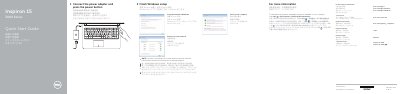

Dell Inspiron 15-3558 Computer Quick Start Guide - cover page
Brand
DELL
Category
Laptops
Document type
Quick Start Guide
Language
English
Pages
2
File format
PDF
File size
494 KB
Published
26 November, 2023
Updated
26 November, 2023
MD5 checksum
4A09E4E77DBB0C32437BACA7C17DE525

About this manual

This multilingual quick start guide helps users finish Windows setup, connect the power adapter and network, set a Windows password, and protect the computer. It also points to Dell support and documentation for more information.

The second page identifies the computer's external features and shortcut keys, including ports, camera, battery, power button, and audio and brightness controls.

What's inside

  • Finish Windows setup
  • Connect the power adapter
  • Set up password for Windows
  • Connect to your network
  • Protect your computer
  • Product support and manuals
  • Features
  • Shortcut keys

Frequently asked questions

How do I learn about the features and advanced options on the computer?

Click Start, then All Programs, then Dell Help Documentation.

Where can I find specifications for this computer?

See Specifications at Dell.com/support.

What is the computer model?

The computer model is Inspiron 15-3558.

Download PDF (494 KB)

More DELL Manuals


View all DELL manuals →