
Dell Vostro 15 3000 Series Laptop Quick Start Guide.
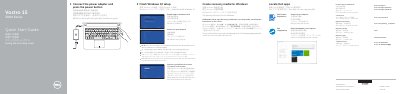
This Quick Start Guide from Dell walks new owners through setting up the Vostro 15 3000 Series laptop, covering computer models Vostro 15-3558 and 15-3559 (regulatory model P52F). The first steps connect the power adapter and press the power button, finish Windows 10 setup, enable Support and Protection, and connect to a network, with a note about entering the password for secured wireless networks.
The guide then explains signing in to a Microsoft account or creating a local account, creating Windows recovery media via Windows search, locating Dell apps such as Dell Product Registration and Dell SupportAssist, and finding product support, manuals, contact information and regulatory and safety details at Dell.com. A features section identifies 19 parts of the computer, including the camera, power button, optical drive, USB 2.0 and 3.0 connectors, VGA connector, memory-card reader and battery, and a shortcut keys section lists keyboard shortcuts for audio, display, brightness and sleep functions.
| Operating system | Windows 10 |
|---|
In Windows search, type Recovery, click Create a recovery media, and follow the instructions on the screen.
Enter the password for the wireless network access when prompted.
Use Dell SupportAssist to check and update your computer.