
This guide provides information on how to set up and use a Lenovo computer.
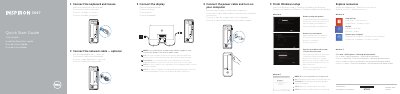
This guide helps you set up your Dell Inspiron 3647 computer. It includes steps to connect peripherals, finish Windows setup, and enable security. The guide also details front panel ports including USB, HDMI, VGA, audio, and network connections.
The guide is multilingual, supporting Dutch, French, Spanish, Portuguese, and Chinese, and includes regulatory information for Mexico (NOM) with importer details and electrical specifications.
| Model | Inspiron 3647 |
|---|---|
| Regulatory Model | D09S |
| Voltage | 100 V AC–127 V AC/200 V AC–240 V AC |
| Frequency | 50 Hz–60 Hz |
| Input Current | 6 A/3 A |
| Country of Origin | Made in China |
The front panel includes USB 2.0 (2), USB 3.0 (2), HDMI-out, VGA, audio ports (3), headphone, microphone, network, security cable, power, and media card reader.
Connect the display to the discrete graphics card, not the integrated graphics port.
The regulatory model is D09S, and the type is D09S001.
The power supply accepts 100 V AC–127 V AC or 200 V AC–240 V AC at 50 Hz–60 Hz with an input current of 6 A/3 A.