
The Dell Inspiron 20 is a desktop computer that features a 21.5-inch display, an Intel Core i3 processor, 4GB of memory, and a 500GB hard drive. It also comes with a webcam, microphone, and headphone jack.
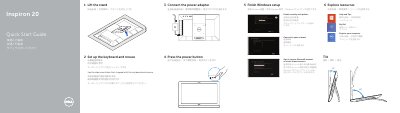
This Quick Start Guide is for the Dell Inspiron 20 Model 3043 desktop computer. It explains how to set up the keyboard and mouse, finish Windows setup, lift the stand, and connect the power adapter.
The guide also covers pressing the power button, enabling security and updates, signing in to a Microsoft account or creating a local account, connecting to a network, and exploring resources. It includes help and tips, My Dell, computer registration, product support contacts, regulatory information, and a features diagram.
| Computer model | Inspiron 20 Model 3043 |
|---|---|
| USB port | USB 2.0 |
The computer model is Inspiron 20 Model 3043.
Product support and manuals are available at dell.com/support and dell.com/support/manuals.
See the documentation that shipped with the keyboard and mouse.