
Dell OptiPlex 3050 Small Form Factor Quick Start Guide

Dell Inspiron 3050 Small Form Factor Quick Start Guide
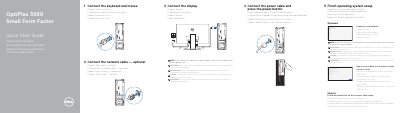

Dell OptiPlex 3050 Small Form Factor Quick Start Guide - cover page
Brand
DELL
Category
Desktops
Document type
Quick Start Guide
Language
English
Pages
2
File format
PDF
File size
465 KB
Published
26 November, 2023
Updated
26 November, 2023
MD5 checksum
94DB6E13A3507345ED6CD08B62323D70

About this manual

This guide shows how to connect the keyboard, mouse, network cable, display, and power cable, then finish operating system setup for the Dell OptiPlex 3050 Small Form Factor.

It also identifies the computer's ports and features and points to Dell support, manuals, and regulatory information.

What's inside

  • Connect keyboard and mouse
  • Connect network cable
  • Connect display
  • Connect power cable
  • Finish operating system setup
  • Locate Dell apps
  • Features and ports
  • Product support and manuals
  • Regulatory and safety

Specifications

Optical driveOptional
Memory card readerOptional
VGA portOptional
USB 2.0 portsIncluded
USB 3.0 portsIncluded
HDMI portIncluded

Frequently asked questions

Where should the display be connected if the computer has a discrete graphics card?

Connect the display to the discrete graphics card.

What should I do when connecting to a secured wireless network?

Enter the password for wireless network access when prompted.

Where can I find Dell product support and manuals?

Visit Dell.com/support and Dell.com/support/manuals.

Download PDF (465 KB)

More DELL Manuals


View all DELL manuals →