
The Dell Latitude 14 3000 Series Notebook Quick Start Guide.
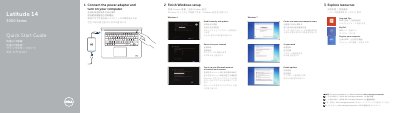
This two-page quick start guide from Dell covers the first steps for the Latitude 14 3000 Series notebook, computer model Latitude 14-3450. It shows how to connect the power adapter and turn on the computer, then walks through finishing Windows setup — enabling security and updates, connecting to a network and signing in with a Microsoft account or creating a local account in Windows 8, or creating a user name and computer name, setting a password and enabling updates in Windows 7.
The guide also lists resources such as Help and Tips, My Dell and product registration, and points to the Owner's Manual at dell.com/support/manuals. A second page labels the computer's features, including microphones, camera and camera-status light, power button, VGA, network, HDMI, USB 3.0 (2), headset, USB 2.0 and power connectors, touchpad, optional finger print reader, speakers, power- and battery-status lights, memory-card reader, security-cable slot and service-tag label. Support, contact, regulatory and safety web addresses and the regulatory model P51G / P51G001 are also given.
| USB 3.0 connectors | 2 |
|---|---|
| USB 2.0 connector | 1 |
| Video connectors | VGA and HDMI |
| Headset connector | 1 |
| Finger print reader | Optional |
| Memory-card reader | Included |
| Security-cable slot | Included |
| Regulatory model / type | P51G / P51G001 |
| Computer model | Latitude 14-3450 |
Connect the power adapter and turn on your computer, then finish the Windows setup steps shown in the guide.
Create a user name and computer name, set a password, and enable updates.
Dell refers you to the Owner's Manual at dell.com/support/manuals for more information.
It has VGA, network, HDMI, two USB 3.0, headset, USB 2.0 and power connectors, a memory-card reader and a security-cable slot.