
The Dell Vostro 3250 Quick Start Guide provides instructions on how to use the Dell Vostro 3250 computer.
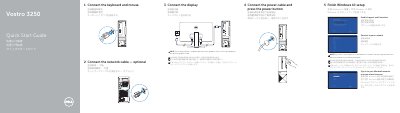
This guide helps you set up your Dell Vostro 3250 computer by connecting peripherals and finishing Windows 10 setup. It includes instructions for connecting keyboard, mouse, display, and power, as well as enabling support and network connectivity. The second page lists hardware features like optical drive, USB ports, HDMI, and diagnostic buttons.
The guide is multilingual, supporting Chinese, Japanese, and Korean translations, and includes regulatory and safety information with model number Vostro - 3250.
Connect the keyboard and mouse, optionally connect the network cable, connect the display, connect the power cable and press the power button, then finish Windows 10 setup.
If you ordered your computer with a discrete graphics card, you should connect the display to the discrete graphics card.
Enter the password for the wireless network access when prompted.
It has an optical drive, line-out and line-in connectors, power button, microphone connector, hard-drive activity light, VGA and HDMI connectors, memory-card reader, headset connector, USB 2.0 and USB 3.0 connectors, network connector, expansion-card slots, power connector, power-supply diagnostic button and light, padlock ring, and security-cable slot.