
The Dell XPS 8900 Quick Start Guide provides step-by-step instructions on how to connect and set up your Dell XPS 8900 computer.
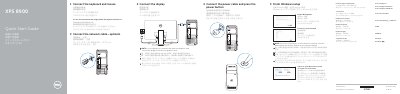
This guide helps you connect peripherals and set up your Dell XPS 8900 computer. It includes steps to connect cables, finish Windows setup, enable updates, and sign in to your account. The guide also shows the front panel ports and features like USB, DisplayPort, HDMI, and audio jacks.
For advanced support, visit Dell.com/support or contact Dell directly. The guide includes regulatory information and model details for compliance purposes.
| Regulatory model | D14M |
|---|---|
| Regulatory type | D14M002 |
| Computer model | XPS 8900 |
Connect the display to the discrete graphics card if your computer has one.
The front panel includes USB 3.0, USB 2.0, DisplayPort, HDMI, audio ports, expansion slots, and a service tag label.
Enable Dell updates after completing Windows setup.