
Dell Inspiron 15 5000 Series Quick Start Guide.
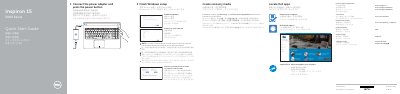
Dell Inspiron 15 5000 Series Quick Start Guide is a two-page setup guide for the Inspiron 15-5559 computer. It shows how to connect the power adapter, finish Windows setup, enable Dell updates, connect to a network, sign in or create an account, locate Dell apps, and create recovery media.
The guide includes a labeled features diagram identifying ports, camera, microphones, battery, and controls, plus a list of shortcut keys for audio, display, brightness, wireless, and sleep functions. It also lists support, regulatory, and safety resources.
| USB 2.0 ports | 2 |
|---|---|
| USB 3.0 port | 1 |
| HDMI port | 1 |
| Network port | 1 |
| Media-card reader | 1 |
| Optical drive | 1 |
| Headset port | 1 |
| Security-cable slot | 1 |
| Power-adapter port | 1 |
| Regulatory label location | In battery bay |
In Windows search, type Recovery, click Create a recovery media, and follow the instructions on the screen.
Enter the password for the wireless network access when prompted.
In the battery bay.
At Dell.com/support and Dell.com/support/manuals.