
Dell XPS 11 Tablet Quick Start Guide

The Dell XPS 11 tablet quick start guide provides information on how to use and care for the tablet.
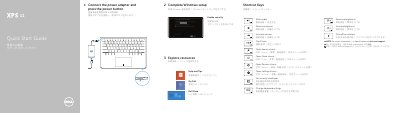

Dell XPS 11 Tablet Quick Start Guide - cover page
Brand
DELL
Category
Tablets
Document type
Quick Start Guide
Language
English
Pages
2
File format
PDF
File size
434 KB
Published
26 November, 2023
Updated
26 November, 2023
Model
XPS 11
MD5 checksum
F71B461CE341B6C7EAA334498E1EF218

About this manual

This quick start guide introduces the Dell XPS 11 tablet. It shows how to connect the power adapter, complete Windows setup, enable security, and use shortcut keys. It also lists features and modes and provides contact and support information.

The guide includes a labeled diagram of ports and controls and is presented in English, Chinese, and Japanese.

What's inside

  • Explore resources
  • Shortcut Keys
  • Connect the power adapter and press the power button
  • Complete Windows setup
  • Enable security
  • Help and Tips
  • Features
  • Modes
  • Contact Dell

Specifications

Computer modelXPS-11-9P33
USB portsUSB 3.0 port with PowerShare

Frequently asked questions

What is the computer model of this tablet?

The computer model is XPS-11-9P33.

Where can I find specifications for the XPS 11?

Specifications are available at dell.com/support.

Which ports include PowerShare?

The USB 3.0 ports include PowerShare.

Download PDF (434 KB)

More DELL Manuals


View all DELL manuals →