
Dell Inspiron One 2020 Quick Start Guide

The manual of Dell computer, introduces the functions and features of the computer.
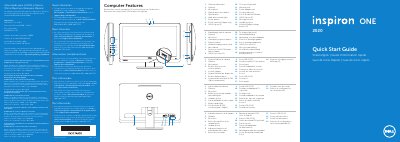

Dell Inspiron One 2020 Quick Start Guide - cover page
Brand
DELL
Category
All-in-One Desktops
Document type
Quick Start Guide
Language
English
Pages
2
File format
PDF
File size
249 KB
Published
26 November, 2023
Updated
26 November, 2023
MD5 checksum
87AAC5EA35DBF346DC67C00772724CF0

About this manual

This multilingual quick start guide covers initial setup of the Dell Inspiron One 2020 all-in-one computer, including connecting power, keyboard, and mouse, completing Windows setup, and locating the Service Tag.

It also lists the computer's external features and ports, provides Dell support contact information, and includes regulatory and importer details for Mexico.

What's inside

  • Computer Features
  • Quick Start
  • Before You Contact Support
  • Connect the power cable
  • Connect the keyboard and mouse
  • Complete Windows setup
  • Press the power button
  • Locate your Service Tag
  • Record your Service Tag here
  • Record your Windows password here

Specifications

Regulatory modelW06B
TypeW06B001
Computer modelInspiron One 2020
Input voltage100-240 VAC
Input current1.80 A
Input frequency50-60 Hz

Frequently asked questions

Where can I learn about the features and advanced options available on this computer?

Click Start, then All Programs, then Dell Help Documentation, or go to support.dell.com/manuals.

How do I contact Dell for sales, technical support, or customer service?

Go to dell.com/ContactDell; customers in the United States can call 800-WWW-DELL (800-999-3355).

What is the regulatory model number for this computer?

The regulatory model number is W06B.

What is the computer model name?

The computer model is Inspiron One 2020.

Download PDF (249 KB)

More DELL Manuals


View all DELL manuals →