
Dell Inspiron 13 7000 Series Quick Start Guide

This document is a quick start guide for Dell computers, and it introduces how to set up and use a Dell computer.
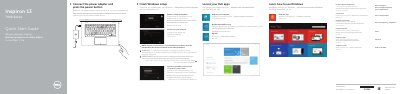

Dell Inspiron 13 7000 Series Quick Start Guide - cover page
Brand
DELL
Category
Laptops
Document type
Quick Start Guide
Language
English
Pages
2
File format
PDF
File size
904 KB
Published
25 November, 2023
Updated
25 November, 2023
MD5 checksum
E16DE1714A061013140EBFCA1E7D428F

About this manual

This guide helps you set up your Dell Inspiron 13 7000 Series laptop. Connect the power adapter, register your computer, and configure Windows. Learn about ports, buttons, and quick access keys. It also covers connecting to networks and managing security settings.

The guide includes a diagram of the device’s features, such as the camera, microphones, USB ports, and power button. It explains how to mute audio, adjust volume, and toggle wireless settings using shortcut keys.

What's inside

  • Finish Windows Setup
  • Connect Power Adapter
  • Register Your Computer
  • Connect to Network
  • Sign In to Microsoft Account
  • Features
  • Shortcut Keys
  • Modes

Frequently asked questions

What is the regulatory model number for this computer?

The regulatory model number for this computer is P57G.

What is the regulatory type listed on the label?

The regulatory type listed on the label is P57G001.

What is the computer model name?

The computer model name is Inspiron 13-7348.

Download PDF (904 KB)

More DELL Manuals


View all DELL manuals →