
The Dell Latitude 5290 Quick Start Guide introduces the features and specifications of the product.
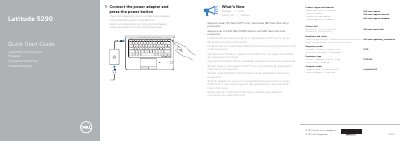
This two-page quick start guide for the Dell Latitude 5290 laptop shows how to get started: connect the power adapter and press the power button. It provides product support and manual links, contact information for Dell, and the regulatory compliance web address.
The guide lists the regulatory model P27S, regulatory type P27S002 and computer model Latitude 5290, notes what is new such as support for Dual (7th Gen Intel Core) and Quad (8th Gen Intel Core) processors and DDR4 memory up to 2400 MHz, and gives a numbered illustration of the laptop's features, ports and indicators in several languages.
| Regulatory model | P27S |
|---|---|
| Regulatory type | P27S002 |
| Computer model | Latitude 5290 |
| Processor support | Dual (7th Gen Intel Core) and Quad (8th Gen Intel Core) processors |
| Memory support | Up to 2400 MHz DDR4 with 8th Gen Intel Core processors |
| USB port | USB 3.1 Gen 1 port with PowerShare |
| Video ports | HDMI port; DisplayPort over USB Type-C; VGA port |
| Card slots | micro-SIM card slot (optional); microSD card reader; Smartcard reader (optional) |
Connect the power adapter and then press the power button.
Dell lists them at Dell.com/support, Dell.com/support/manuals and Dell.com/support/windows.
It supports up to 2400 MHz DDR4 memory with 8th Gen Intel Core processors.
Dell points to Dell.com/regulatory_compliance for regulatory and safety information.