
Dell Inspiron 3421/5421/5435/3437/5437 Quick Start Guide

This guide describes how to use keyboard shortcuts in Windows 10.
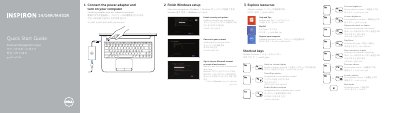

Dell Inspiron 3421/5421/5435/3437/5437 Quick Start Guide - cover page
Brand
DELL
Category
Laptops
Document type
Quick Start Guide
Language
English
Pages
2
File format
PDF
File size
320 KB
Published
25 November, 2023
Updated
25 November, 2023
MD5 checksum
BAA0D0A6A419A4B651D79E43C05D4B74

About this manual

This document serves as a Quick Start Guide for Dell Inspiron laptops, covering the initial setup process, keyboard shortcuts for common tasks, and product features. It includes instructions in multiple languages including English, Indonesian, Japanese, Korean, and Arabic.

What's inside

  • Finish Windows setup
  • Explore resources
  • Shortcut keys
  • Connect the power adapter
  • Register your computer
  • Enable security and updates
  • Product features
  • Product support and manuals

Specifications

Digital microphone1
Camera2
USB 3.0 ports2
HDMI port1

Frequently asked questions

How do I switch to an external display?

Press the key combination to switch to the external display.

How do I turn off or on wireless?

Press the key combination to turn off or on wireless.

How do I increase the screen brightness?

Press the key combination to increase brightness.

Download PDF (320 KB)

More DELL Manuals


View all DELL manuals →