
The Dell Vostro 5370 Quick Start Guide provides information on how to use the Dell Vostro 5370 laptop.
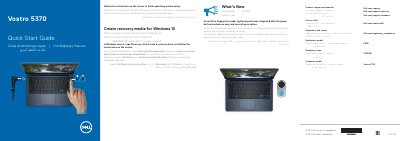
The Dell Vostro 5370 Quick Start Guide is a short multilingual leaflet that ships with the computer. It covers finishing operating system setup from the on-screen instructions, lists Dell support, manuals, Windows and regulatory web addresses, and explains how to create recovery media for Windows 10 by typing Recovery in Windows search and choosing Create a recovery drive.
A features page labels the computer's parts in English: camera and camera status light, dual-array microphones, Noble security-cable slot, power button with optional fingerprint reader, USB 3.1 Gen 1 ports including a Type-C port with Power Delivery/DisplayPort, microSD card reader, touchpad, headset port, HDMI port, power and battery-status light, power-adapter port, speakers and service tag label. The document is dated 2017-09 and gives the regulatory model P87G and regulatory type P87G001.
| Computer model | Vostro 5370 |
|---|---|
| Regulatory model / type | P87G / P87G001 |
| USB ports | USB 3.1 Gen 1 with PowerShare, USB 3.1 Gen 1, USB 3.1 Gen 1 (Type-C) with Power Delivery/DisplayPort |
| Video port | HDMI port |
| Card reader | microSD card reader |
| Security | Noble security-cable slot |
| Power button | With optional fingerprint reader |
Follow the instructions shown on the screen to complete OS setup.
In Windows search type Recovery, click Create a recovery drive, then follow the on-screen instructions.
Dell lists Dell.com/support for product support and Dell.com/support/manuals for manuals.
It is an optional feature integrated with the power button that provides an easy and secure log on option.