
HP 11i Pro Tablet Quick Start Guide
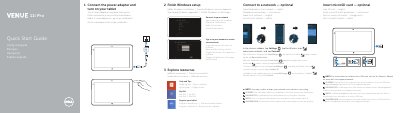
This Dell quick start guide for the Venue 11i Pro tablet explains how to connect the power adapter, turn on the tablet, and finish Windows setup. It covers optional wireless network connection and microSD card insertion, and notes that micro-SIM installation instructions are in the Owner’s Manual on dell.com/support/manuals.
The feature section identifies cooling vents, cameras, microphones, speakers, connectors, docking pins, programmable buttons, and optional fingerprint reader, security card reader, and stylus. The guide also lists support, contact, regulatory, and safety links; the tablet model Venue 7130/7139; the regulatory model T07G/T07G001; and NOM input/output power information.
| Tablet model | Venue 7130/7139 |
|---|---|
| Regulatory model and type | T07G / T07G001 |
| Input voltage | 100 V CA–240 V CA |
| Input current (maximum) | 1,00 A–1,30 A |
| Input frequency | 50 Hz–60 Hz |
| Output voltage | 19,5 VCC |
| Output current | 1,2 A / 1,54 A |
| USB connector | USB 3.0 |
Connect the power adapter, turn on the tablet, and finish Windows setup.
No. The guide labels the network connection step as optional.
The guide points to the Owner’s Manual on www.dell.com/support/manuals.
The listed tablet model is Venue 7130/7139.