
Dell OptiPlex 3050 Micro Desktop Quick Start Guide
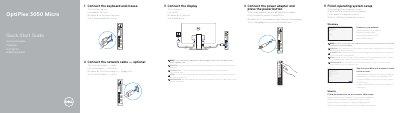
Dell OptiPlex 3050 Micro is the computer model shown in this guide. This quick start guide shows how to connect the keyboard, mouse, network cable, display, and power adapter, then finish operating system setup for Windows or Ubuntu.
It also identifies the computer's ports and features and points to Dell apps such as SupportAssist, product support and manuals, contact information, and regulatory and safety resources.
| Computer model | OptiPlex 3050 Micro |
|---|---|
| USB 2.0 port | Supports Smart Power On |
| Optional port | VGA, Serial, PS/2, or DisplayPort |
| Network port | Included |
| HDMI port | Included |
| Power connector port | Included |
Connect the display to the discrete graphics card.
You can sign in to your Microsoft account or create a local account.
SupportAssist can check and update your computer.
This guide covers the OptiPlex 3050 Micro.