
The Dell Latitude 14 5000 Series Quick Start Guide provides instructions on how to connect the power adapter, finish Windows setup, enable security and updates, connect to your network, sign in to your Microsoft account or create a local account, and explore resources.
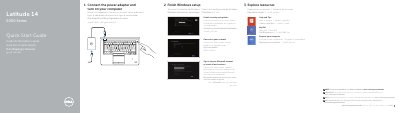
This document serves as a multilingual quick start guide for the Dell Latitude 14 5000 Series. It provides step-by-step instructions for initial setup, including connecting the power adapter, completing the Windows setup, enabling security and updates, and connecting to a network. The guide also instructs users on how to sign in to a Microsoft account or create a local account.
| Regulatory model | P48G |
|---|---|
| Regulatory type | P48G001 |
| Computer model | Latitude 14-E5450/5450 |
For more information, see the Owner's Manual at dell.com/support/manuals.
The regulatory model number is P48G.