
Dell OptiPlex 7440 All-in-One Quick Start Guide

OptiPlex 7440 All-in-One Quick Start Guide
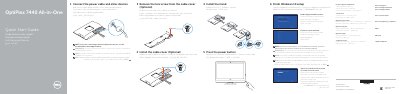

Dell OptiPlex 7440 All-in-One Quick Start Guide - cover page
Brand
DELL
Category
All-in-One Desktops
Document type
Quick Start Guide
Language
English
Pages
2
File format
PDF
File size
480 KB
Published
25 November, 2023
Updated
25 November, 2023
MD5 checksum
1B6267CBCE64AACC315755B56C7C9C6B

About this manual

This quick start guide for the Dell OptiPlex 7440 All-in-One shows how to connect power and other devices, install the stand, and complete Windows 10 setup.

It also identifies the computer's ports and features, lists Dell support and manual resources, and covers product registration, SupportAssist, and Ubuntu setup.

What's inside

  • Connect the power cable and other devices
  • Install the stand
  • Press the power button
  • Finish Windows 10 setup
  • Connect to your network
  • Product support and manuals
  • Features
  • Product Registration
  • Dell SupportAssist
  • Ubuntu

Frequently asked questions

Where can I find product support and manuals for the OptiPlex 7440 All-in-One?

Dell lists product support and manuals at dell.com/support and dell.com/support/manuals.

What should I do to finish setup on Ubuntu?

Follow the instructions on the screen to finish setup.

Where is the service tag label located?

The service tag label is item 24 in the features diagram.

Download PDF (480 KB)

More DELL Manuals


View all DELL manuals →