
Dell Vostro 14 5000 Series Quick Start Guide
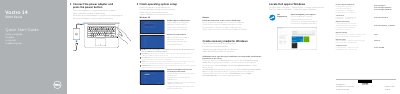
This two-page Dell quick start guide covers the first steps for the Vostro 14 5000 Series laptop, identified in the document as computer model Vostro 14-5468 (regulatory model P75G, regulatory type P75G001). It shows how to connect the power adapter and press the power button, finish operating system setup for Windows 10 or Ubuntu, locate Dell apps, connect to a network and create recovery media for Windows. The guide also lists Dell support and contact web addresses.
The second page is a labeled feature tour of the computer with 21 numbered parts, including the camera, security-cable slot, power button, VGA, USB 3.0 and HDMI ports, memory card reader, fingerprint reader, speakers, touchpad and service tag label. A shortcut-key page follows, listing the functions of the mute, volume, track, play/pause, display, search, keyboard backlight, brightness, wireless, status-light toggle, Fn-key lock and sleep keys. The instructions are printed in English alongside Danish, Finnish, Norwegian and Swedish.
| Computer model | Vostro 14-5468 |
|---|---|
| Regulatory model | P75G |
| Regulatory type | P75G001 |
| USB ports | USB 3.0 ports, one with PowerShare |
| Video ports | VGA port and HDMI port |
| Card reader | Memory card reader |
| Security | Security-cable slot |
| Fingerprint reader | Fingerprint reader |
Connect the power adapter and press the power button.
In Windows search, type Recovery, click Create a recovery media, and follow the instructions on the screen.
Dell lists Dell.com/support for product support and Dell.com/support/manuals for manuals, with Dell.com/contactdell for contact details.
Enter the password for the wireless network access when prompted.