
This is a manual for a wireless router, which introduces how to install, configure and use the wireless router
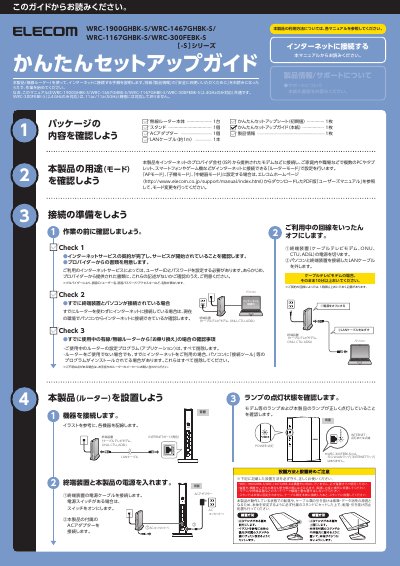
This guide explains how to connect the Elecom WRC-1900GHBK-S wireless router to the internet using a modem or terminal device. It details the steps to prepare the network environment, connect the hardware, and power on the device. The manual applies to the WRC-1900GHBK-S, WRC-1467GHBK-S, WRC-1167GHBK-S, and WRC-300FEBK-S models. This manual is written in Japanese.
This manual is common for the WRC-1900GHBK-S, WRC-1467GHBK-S, WRC-1167GHBK-S, and WRC-300FEBK-S.
Press and hold the reset button on the back of the unit for more than 10 seconds.