
Dukane 8063/8755C LCD Projector User's Manual

This manual introduces the use of LCD projector 8063/8755C, including safety guide, operating guide and technical guide
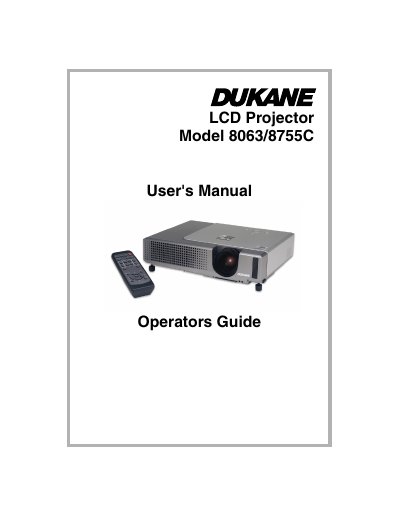

Dukane 8063/8755C LCD Projector User's Manual - cover page
Brand
Dukane
Category
Projector
Document type
User Manual
Language
English
Pages
78
File format
PDF
File size
4.7 MB
Published
12 July, 2012
Updated
30 September, 2023
MD5 checksum
D2A895B62EA92E94AFAF524092835098

About this manual

This document serves as the User's Manual for the Dukane 8063/8755C LCD Projector. It is divided into three main sections: a Safety Guide covering warnings and precautions, an Operating Guide for usage, and a Technical Guide. The text emphasizes strict adherence to safety protocols regarding high voltage components, lamp handling, and ventilation to prevent injury or equipment damage.

What's inside

  • Safety Guide
  • Operating Guide
  • Technical Guide
  • Symbols
  • Safety Precautions
  • High temperatures
  • Light source lamp
  • Power cord connection
  • Moving the projector
  • Air filter maintenance

Frequently asked questions

What is the minimum space required between the projector and walls?

You must keep a space of 30 cm or more between the sides of the projector and other objects such as walls.

What should you do if the projector displays a message to check the air flow?

You must clean the air filter as soon as possible when indicators or a message prompts you to do so.

What action is required if the projector is shocked or broken?

Immediately turn off the power switch, disconnect the power plug from the power outlet, and contact your dealer.

Download PDF (4.7 MB)

More Dukane Manuals


View all Dukane manuals →