
This document is the installation guide for Agilent 6890N gas chromatograph. The guide provides step-by-step instructions and precautions for installation, as well as instructions for checking and calibrating the instrument. It also includes operating instructions for manual injection and sampler injection.
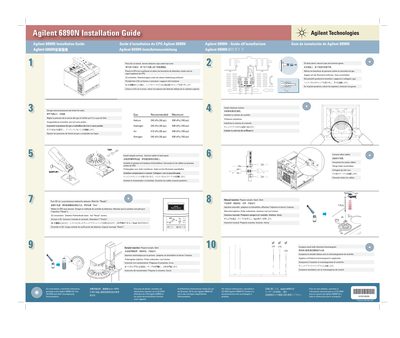
This document provides a quick-start installation guide for the Agilent 6890N Gas Chromatograph (GC). It includes multilingual instructions on placing the instrument on a bench, removing detector caps, and setting up gas source pressures. The guide specifies recommended maximum pressure limits for Helium, Hydrogen, Air, and Nitrogen.
The recommended maximum pressure for Helium is 345 kPa (50 psi).
The recommended maximum pressure for Air is 415 kPa (60 psi).