
This document describes the procedure for changing the 16-Pin Bayonet Cartridge of the LabChip® 2100 bioanalyzer from Agilent Technologies. The cartridge contains 16 electrodes that make contact with the liquid in the wells of the LabChip®. If the electrodes become contaminated or damaged, the entire cartridge can be replaced. The document provides detailed instructions for removing the cartridge and the pin set.
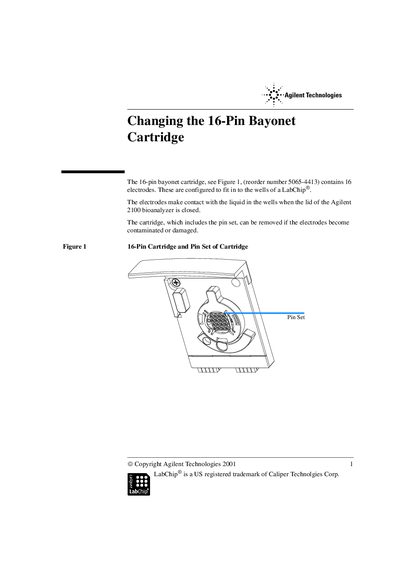
This guide provides step-by-step instructions for replacing a contaminated or damaged 16-pin bayonet cartridge (Reorder Number 5065-4413) in an Agilent 2100 Bioanalyzer. The document details how to safely remove the cartridge from the lid and replace the internal pin set.
You can clean the pin set using de-ionized water, isopropanol, or RNAse Zap.
Yes, for highly contaminated pins, you may autoclave the pin set following standard procedures for plastic material.
The pin set should be gently cleaned on a regular quarterly basis, or after contamination.