
Agilent G1926A Bar Code Reader Installation on G2614A Tray Manual

This document describes how to install the G1926A barcode reader on the Agilent 6890 gas chromatograph

Agilent G1926A Bar Code Reader Installation on G2614A Tray Manual - cover page
Brand
Agilent
Document type
Installation Guide
Language
English
Pages
8
File format
PDF
File size
1.1 MB
Published
08 June, 2012
Updated
30 September, 2023
Model
G2614A
MD5 checksum
276AFCC90490F2F1DB2A4E07590B6815

About this manual

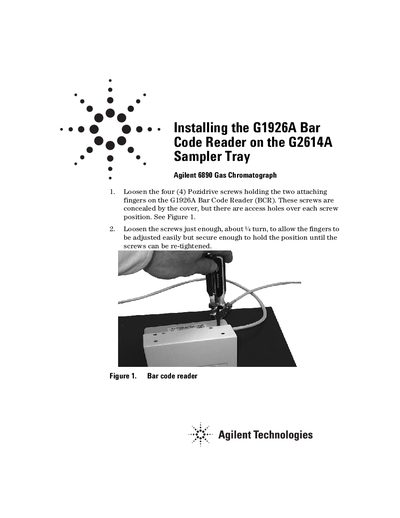
This manual provides step-by-step instructions for physically mounting the Agilent G1926A Bar Code Reader (BCR) onto a G2614A Sampler Tray. The process involves loosening attachment screws, installing a support bracket assembly to the underside of the tray, and connecting data and power cables.

What's inside

  • Loosening attaching fingers
  • Installing Support Bracket Assembly
  • Mounting tray on GC
  • Connecting data cable
  • Connecting GC/Panel cable
  • Setting up trial sequence
  • BCR position adjustments
  • Vials and labels

Frequently asked questions

What type of vials are recommended for reliable vial handling?

Crimp cap vials (6181-3376 or 5181-3375) with carefully applied barcode labels are the most reliable.

Is it recommended to mix different vial types on the sampler quadrants?

No, mixing vial types is not recommended because screw cap vials may present inconsistent targets for the gripper.

Download PDF (1.1 MB)

More Agilent Manuals


View all Agilent manuals →