
This document is about the replacement instructions for 033-2501 Rev. E - iMac G5 Inverter, 20-inch. The document includes the required tools, important things to know, and the steps to open the computer.
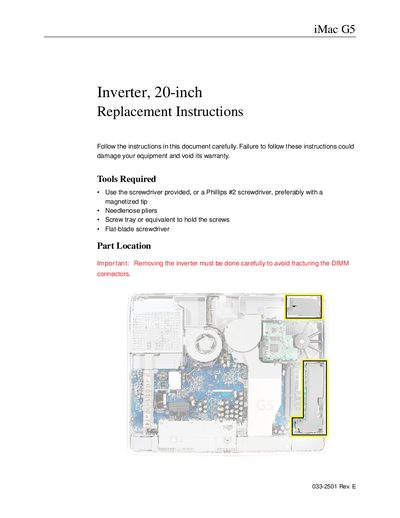
This document provides detailed instructions for replacing the inverter on an Apple iMac G5 with a 20-inch display. It outlines necessary tools, such as a magnetized Phillips #2 screwdriver and needlenose pliers, and emphasizes safety precautions like grounding oneself to prevent static electricity damage.
The guide covers the complete disassembly process required to access the inverter. This includes turning off the computer, removing the back cover, extracting memory modules if necessary, disconnecting cables carefully to avoid damaging DIMM connectors, and finally sliding out the old inverter module.
You need a screwdriver provided with the part (or a Phillips #2 screwdriver, preferably magnetized), needlenose pliers, and a screw tray.
You must carefully slide out the inverter so that it does not make contact with the DIMM connector latches.
You must ground yourself by touching the metal surface inside the computer before touching any parts or installing components.