
This manual details the functions, settings, and menu adjustments of the MT/LT series projector remote controls.
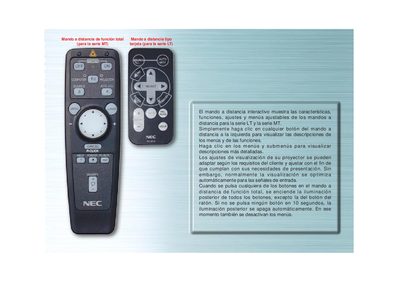
This manual describes the interactive remote control for the NEC MT and LT projector series. It shows how to access menus, view detailed descriptions, and adjust visual settings to match user requirements.
The guide details each button (e.g., FUENTE, AUTO ALINEACION), explains automatic back‑light behavior, and provides instructions for switching between projector and computer modes, as well as using navigation keys to select options. This manual is written in Spanish.
| Back‑light auto‑off time | 10 seconds of inactivity |
|---|---|
| LED indicator behavior | Lights when any button is pressed |
The back‑light turns off automatically and the menus are deactivated.
Use the FUENTE button to cycle through RGB, Video, S‑Video, and PC Viewer inputs.