
NP64/NP63/NP54/NP43 is a projector product with easy installation setup and computer connectivity.
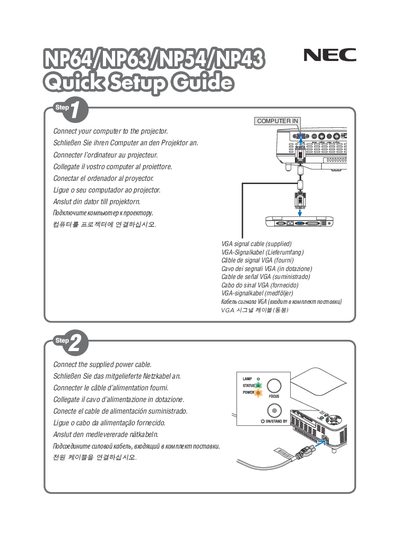
This Quick Setup Guide provides the essential steps to get NEC NP64, NP63, NP54 and NP43 displays up and running. It covers power connection, input selection and basic menu navigation, with a dedicated "POWER OFF" section for safely turning the unit off.
The guide was printed in China and includes version information (Ver.1 12709 (S)), indicating it is an official NEC document intended for initial installation and basic operation of the NP series displays.
Use the procedure described in the "POWER OFF" section of the guide.
The guide was printed in China.