
NEC NP62 NP61 NP52 NP41 Quick Setup Guide

This quick setup guide introduces how to connect NP62/NP61/NP52/NP41 projector.
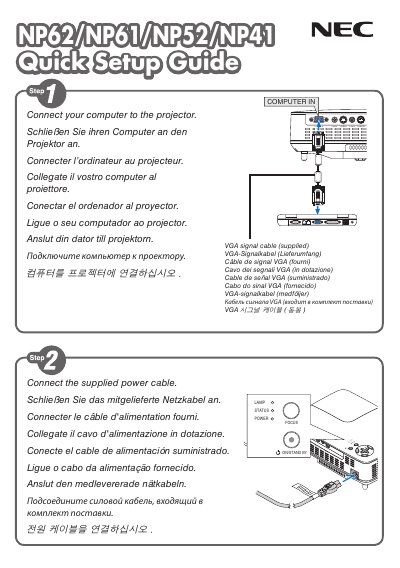

NEC NP62 NP61 NP52 NP41 Quick Setup Guide - cover page
Brand
NEC
Category
Other device
Document type
Quick Start Guide
Language
English
Pages
6
File format
PDF
File size
1.6 MB
Published
10 May, 2012
Updated
30 September, 2023
Models
NP61, NP41, NP62, NP52
MD5 checksum
1BD9E3181DD23B43A59226311099D1CD

About this manual

This guide provides fast‑track instructions for installing and configuring NEC NP62, NP61, NP52 and NP41 display units. It covers basic connections, power‑on procedures and essential first‑use settings.

A helpful tip explains how to automatically adjust the RGB image using the AUTO ADJ. button, ensuring optimal picture quality right out of the box.

What's inside

  • Quick Setup Overview
  • Connecting the Display
  • Power On Procedure
  • Auto Adjustment
  • Tips

Frequently asked questions

How do I automatically adjust the RGB image on the display?

Press the AUTO ADJ. button to optimize an RGB Image automatically.

What does the AUTO ADJ. button do?

It optimizes the RGB image automatically when pressed.

Download PDF (1.6 MB)

More NEC Manuals


View all NEC manuals →