
This document introduces the features, functions, settings and adjustable menus of the MT and LT series projectors.
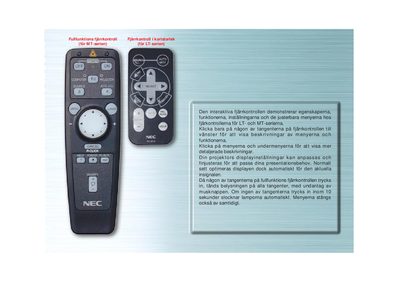
This manual describes the full‑function remote control used with NEC MT‑series and LT‑series projectors. It explains how to navigate the on‑screen menus, use the various buttons and adjust picture settings.
Key functions include the SOURCE button for input selection, AUTO ADJUST for automatic picture alignment, and COMPUTER/PJ SELECT for toggling between projector and computer modes. LED indicators provide visual feedback and turn off automatically after inactivity. This manual is written in Swedish.
Press the AUTO ADJUST button; the remote will automatically adjust the vertical/horizontal position, clock frequency/phase and resolution when the projected image is off‑center, shows vertical bars, or flickers.
Press the COMPUTER/PJ SELECT button; it toggles the mode for the mouse buttons between projector mode (red light) and computer mode.
The LED lights turn off and the menus close automatically after 10 seconds of inactivity.