
This interactive remote control illustrates the properties, functions, settings, and adjustable menus of the remotes for the LT series and MT series models. Simply click on one of the buttons on the left side of the remote to display menu and function descriptions. Click on menus and submenus to view more detailed descriptions. The display settings of your projector can be customized and precisely adjusted according to your needs. However, the display usually optimizes automatically based on the input signals. Pressing one of the multi-function remote control buttons turns on the backlight of all buttons, except the mouse button. If no buttons are pressed for 10 seconds, the backlight automatically turns off along with the menus.
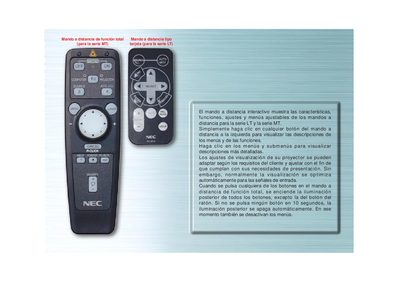
This manual describes the layout and operation of the NEC remote control for the MT and LT projector series. It details each button, such as FUENTE, AUTO ALINEACIÓN, and the computer/projector mode switch, and explains how to access menus and sub‑menus to adjust image settings.
Instructions include how the back‑light works, how to use the navigation keys, and how the AUTO ALIGNMENT feature automatically corrects image position, frequency, and resolution when needed. The document also covers special functions like LED indicators and mode selection between projector and computer control. This manual is written in Spanish.