
This document is the LT series and MT series projector remote control user manual.
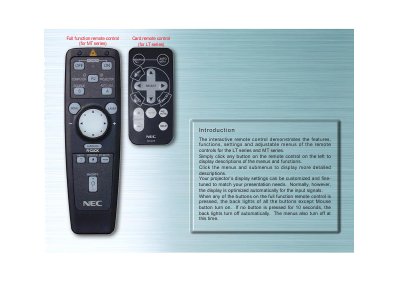
The manual provides a detailed overview of the full‑function remote control used with NEC LT and MT series projectors. It describes each button, the on‑screen menus, and how to customize projector display settings.
Instructions cover source selection, automatic picture adjustment, power‑management options, and LED indicators. Users can learn how to switch between projector and computer mouse modes, adjust image settings, and navigate the remote’s menus efficiently.
| Backlight auto‑off time | 10 seconds |
|---|---|
| LED indicator behavior | Flashes when any remote button is pressed |
Press the AUTO ADJUST button to automatically adjust vertical/horizontal position, clock frequency/phase, and resolution.
Press the COMPUTER/PJ SELECT button; it toggles the mouse buttons between projector mode (lit red) and computer mode.
Open the Signal Selection menu and use the AY buttons to choose RGB, Component, Video, S‑Video, or PC Card Viewer.