
instruction manual
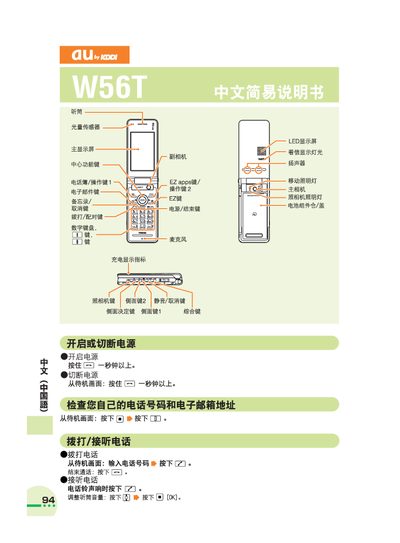
This manual explains how to operate the au W56T phone. It describes turning the device on and off, navigating the standby screen, and using basic keys such as the power, call, and EZ keys.
It also details common phone functions: managing contacts, making local and international calls, using the camera for photos and videos, setting silent mode, and recording voice memos. Customer service contact information is provided at the end. This manual is written in Chinese.
Press and hold the power key for more than one second to turn the device on or off.
From the standby screen, enter the phone number and press the call key.
Press and hold the camera key for more than one second, then press the capture button to take a picture.
From the standby screen, press and hold the silent‑mode key for about one second.