
This document is a PDF file that contains information about a product.
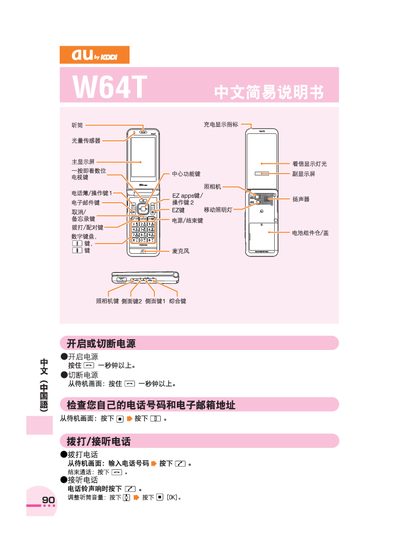
This manual provides step‑by‑step instructions for using the au W64T mobile phone. It describes how to power the device on and off, make and receive calls, adjust volume, and manage the phonebook.
Additional sections cover camera operation, taking photos or videos, setting silent mode, using voice memos, making international calls, and contacting au customer service for assistance. This manual is written in Chinese.
| Battery compartment | Battery compartment cover |
|---|
Press and hold the power key for more than one second from the standby screen.
From the standby screen, press and hold the silent‑mode key for more than one second to set; repeat to cancel.