
This document is the instruction manual for a certain brand and model of mobile phone
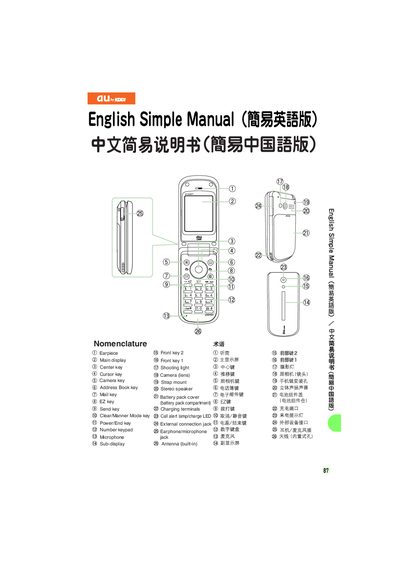
The manual explains how to operate an au phone, from turning the device on and off to using its built‑in email, C‑mail, camera and voice recorder functions. It is organized as step‑by‑step instructions that can be followed directly from the stand‑by screen.
Key sections include power control, call handling, address‑book management, email and C‑mail setup, camera usage for photos and movies, international dialing, and optional features such as Manner Mode and the simple voice recorder.
Hold down the C25 key for more than one second.
From the stand‑by screen, select New mail, then enter the recipient’s address, subject and message before pressing the send key.
From the stand‑by screen, hold down the 4 key for more than one second; repeat to disable.