
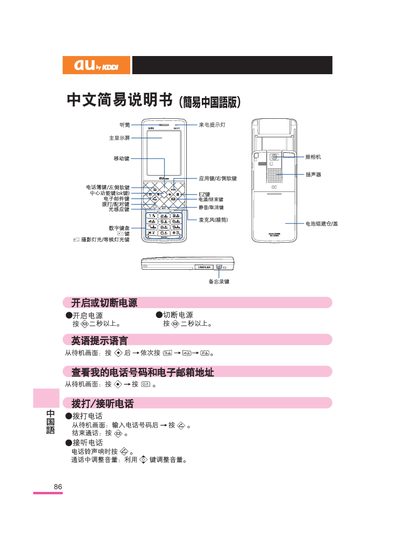
The manual provides step‑by‑step instructions for turning the phone on and off, selecting language, viewing your phone number and email address, and making or receiving calls. It also describes how to use the camera for photos and video, manage contacts, and configure common functions such as mute mode and voice memos.
Additional sections cover international dialing, battery handling, speaker use, and contact information for au customer service. Each operation is illustrated with the required button presses from the standby screen. This manual is written in Chinese.
Press and hold the power button for more than two seconds to turn the phone on or off.
From the standby screen, enter the telephone number and then press the call button.
Press the central function key, then the move key to select the camera, and press the photo button to start shooting.
Press and hold the mute key for more than one second to set mute mode; press and hold the same key for more than one second to cancel it.