
The content of the document is a string of numbers and symbols, without specific product features and characteristics information.
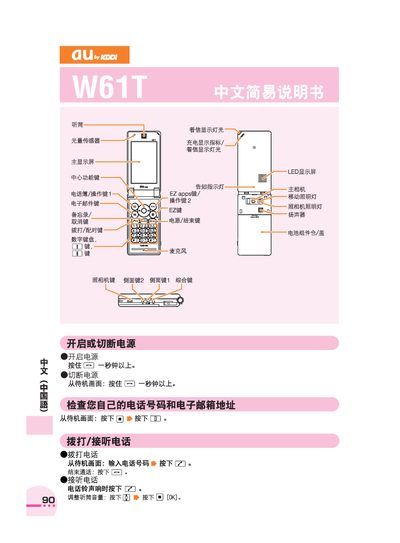
The guide provides step‑by‑step instructions for basic phone functions such as making and receiving calls, managing the address book, and adjusting sound settings. It also describes how to use the built‑in camera for photos and animations, and how to place international calls.
Additional sections cover voice memos, mute mode, and contact information for au customer service, helping users troubleshoot and personalize their device. This manual is written in Chinese.
Press and hold the call key for more than one second, then dial the number to call or press the answer key when the phone rings.