
This document introduces the functions and operation methods of Chinese Language 114, including powering on, making phone calls, saving input items, taking photos, etc. It also provides an example of international phone call number and methods to set silent mode and voice memo.
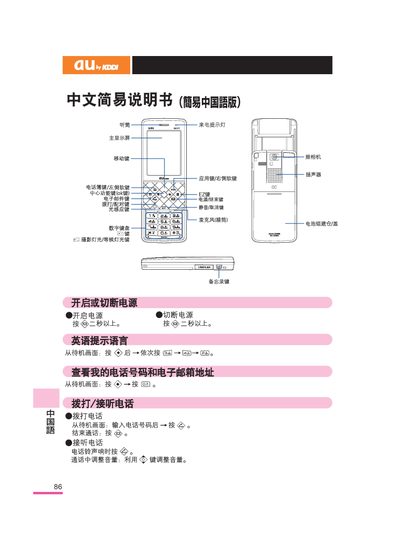
The guide explains how to turn the phone on or off by pressing the power button for more than two seconds, select the English prompt language, and view your phone number and email address from the standby screen. It also details making and answering calls, adjusting volume, and using the silent mode.
Additional sections cover saving and viewing contacts, using the built‑in camera for photos and video, making international calls, and accessing customer service numbers for both landline and au mobile users. This manual is written in Chinese.
| Power button operation | Press >2 seconds to turn on/off |
|---|---|
| Prompt language | English |
| Photo capture | Press 1 to start photo capture |
| Video recording | Press 2 to start video recording |
| International call format | Dial country code, area code, then number |
Press and hold the power button for more than two seconds to turn the device on or off.
From the standby screen, enter the country code, area code, and the phone number in sequence.
Press the central function key, then the navigation key to select the camera, and press the 1 button to start shooting.
From the standby screen, press the full‑key for more than one second to enable silent mode, and press the same key for more than one second to cancel it.