
This file is a product manual for W65T0S.
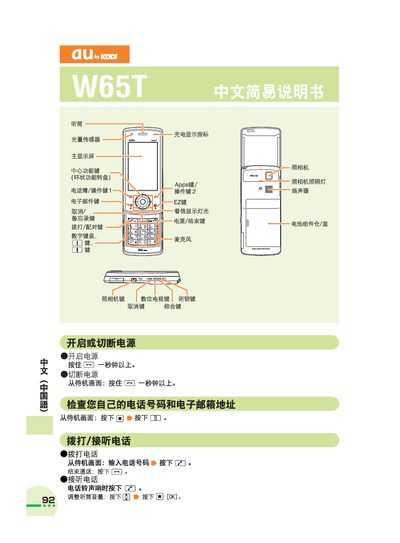
This manual explains the basic operation of the au by KDDI W65T phone. It shows how to make and receive calls, adjust volume, and use the address book and voicemail functions.
It also describes camera usage for photos and animations, how to toggle mute mode, and provides international dialing instructions and customer service contact information. This manual is written in Chinese.
From the standby screen, press and hold the mute key for more than one second to enable mute mode; hold the same key again to cancel mute.
From the standby screen, press and hold the voice memo key for more than one second to start recording, and hold it again to cancel.