
This simplified Chinese language version of the user guide is only applicable to the following models of devices:
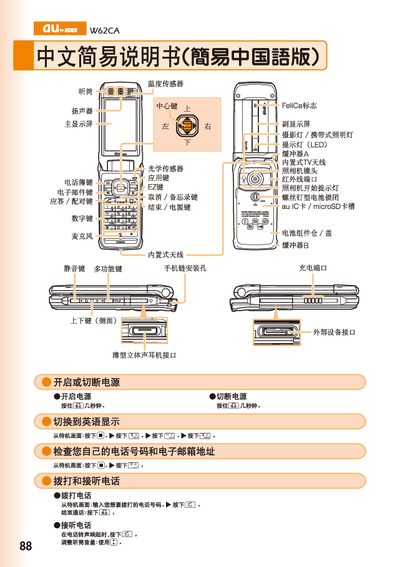
This manual provides step‑by‑step instructions for using the au by KDDI W62CA mobile phone. It describes how to power the device on and off, switch the display language, and navigate the main menus.
Detailed sections cover phone‑book management, making and receiving calls (including international dialing), using the built‑in camera for photos and animations, adjusting volume, handling voice messages, and accessing external interfaces such as the LED indicator, microSD card slot, and stereo headset jack. Contact information for au customer service is also included. This manual is written in Chinese.
| LED indicator | present |
|---|---|
| microSD card slot | present |
| Stereo headset jack | present |
From the standby screen, press the call button, enter the number, and press the send key to start the call.
Press and hold the designated key for a few seconds, then select English from the language menu.
From the standby screen, hold the plus key, select a record, and press the edit key to view or modify the entry.