
The document provides an introduction to the features and characteristics of a product. Further analysis is needed for specific information.
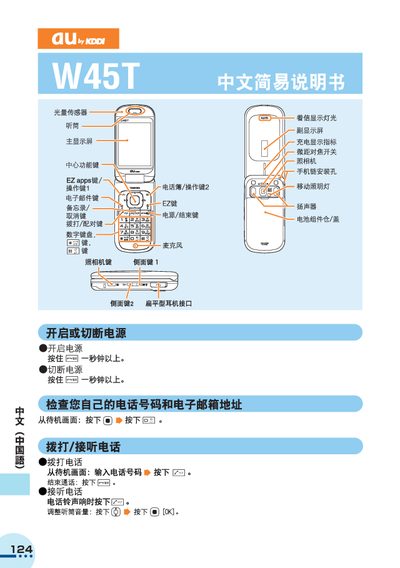
The au W45T is a mobile phone with a main display, side keys, a flat earphone jack, and a removable battery compartment. This manual explains how to power the device on and off, make and receive calls, manage the phone book, and use the built‑in camera.
It also provides instructions for international dialing, voice mail setup, silent mode, and other common phone functions, plus contact information for au customer service. This manual is written in Chinese.
| Earphone connector | Flat type |
|---|---|
| Battery compartment | Removable |
Press and hold the power (Ea) key for more than one second to turn the device on or off.