
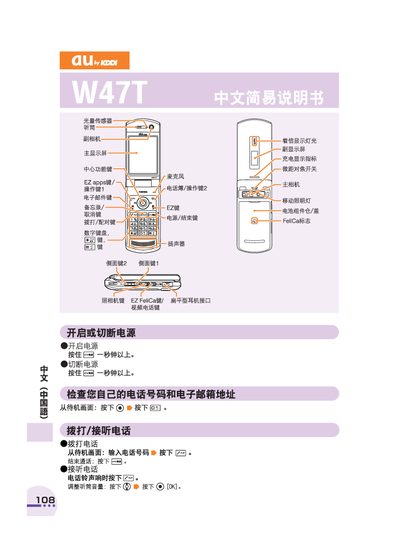
This manual explains how to power the device on and off, manage the phonebook, make and receive calls, and use the built‑in camera for photos and videos. It also covers international dialing, mute mode, voice memos, and how to contact au customer service.
Each operation is described with the required key presses from the standby screen, such as holding the E key to turn the phone on or pressing the EC key to start a call. The guide includes examples for dialing U.S. numbers and setting language prompts. This manual is written in Chinese.
Press and hold the E key for more than one second to turn the phone on or off.
From the standby screen, enter the phone number and press the EC key to start the call.
From the standby screen, press and hold the + key for more than one second, then follow the prompts to enter and save the contact.
From the standby screen, press and hold the ca key for more than one second, then press the [所影] key to capture and the [保存] key to save the photo.