
No
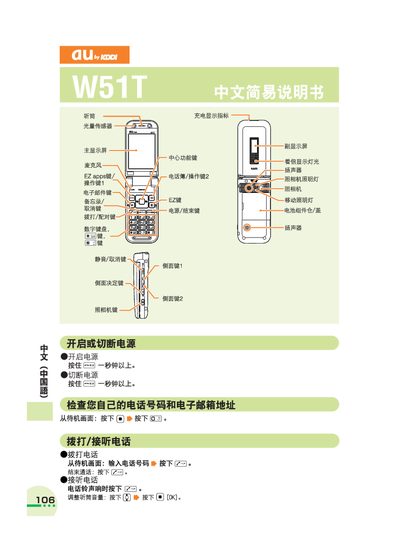
This manual explains how to turn the au W51T on and off, make and receive calls, store contacts, and use additional functions such as mute mode, voice memos and international dialing. It also covers the built‑in camera for taking photos and recording animations.
Helpful tips for accessing customer support and troubleshooting common issues are included, along with detailed button‑press sequences for each operation. This manual is written in Chinese.
Press and hold the power button (labeled SA) for more than one second.
Press and hold the power button (labeled EA) for more than one second.
From the standby screen, enter the country code and the phone number, then press the call button.
From the standby screen, press and hold the camera button for about one second, then press the capture button to take a photo and save it.