
This is a document about A5518SA.
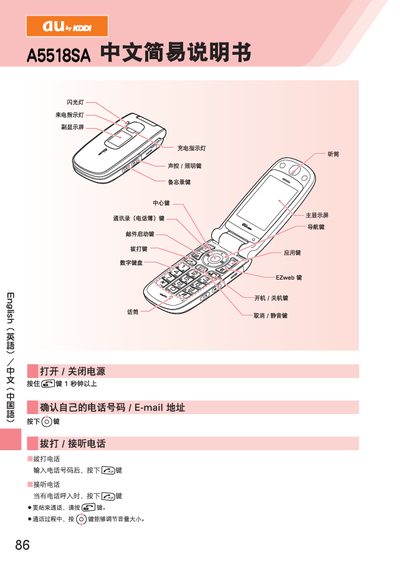
This manual describes basic phone operation such as turning the device on or off, dialing numbers, answering calls, and adjusting the volume. It also covers how to add and view contacts, set up EZweb email, and send or receive both Email and C‑mail messages.
Additional sections explain how to use the EZweb web browser, place international calls, enable silent mode, and configure voicemail. Contact information for au customer service is provided at the end of the guide. This manual is written in Chinese.
Press and hold the GES key for more than one second.
Enter the phone number and press the [29] key.
Press any key, then press the G key to start the initial setup and follow the prompts.
Press and hold the (E2) key for more than one second.