
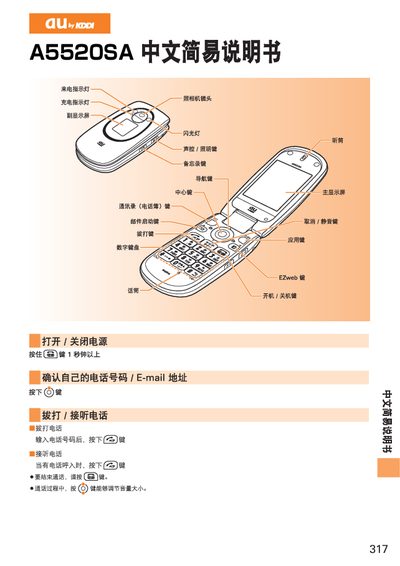
au by KDDI A5520SA User Manual


au by KDDI A5520SA User Manual - cover page
Brand
au by KDDI
Category
Cell Phones
Document type
User Manual
Language
Chinese
Pages
3
File format
PDF
File size
1.3 MB
Published
27 March, 2012
Updated
28 May, 2012
MD5 checksum
4C3C3101276473990A7068D65742F215

About this manual

This manual explains how to power the device on and off, make and receive calls, and adjust the volume. It also covers basic navigation of the home screen and the use of the call functions.

Further sections describe how to manage the address book, set up and use EZweb email and C‑mail, browse the Internet with EZweb, operate the camera for photos and video, place international calls, enable silent mode, and use voicemail. Contact information for au customer service is also provided. This manual is written in Chinese.

What's inside

  • Power On/Off
  • Making and Receiving Calls
  • Adjusting Volume
  • Address Book Management
  • EZweb Email Setup
  • Using Email
  • Using C‑mail
  • EZweb Internet Access
  • Camera Operation
  • International Calls

Frequently asked questions

How do I send an email from the phone?

Press the add key, then press the C key to choose “New”, and follow the prompts to enter recipient, subject and body.

Download PDF (1.3 MB)

More au by KDDI Manuals


View all au by KDDI manuals →