
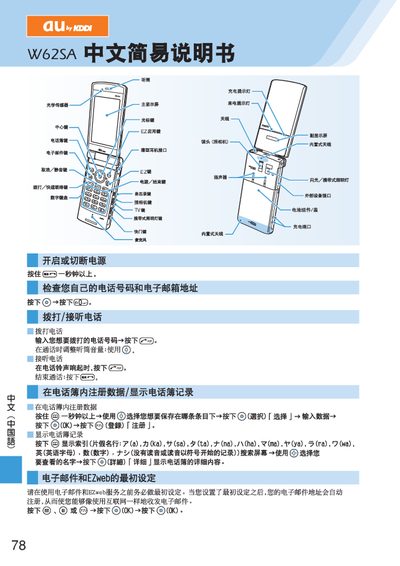
This manual guides users through the first‑time configuration of the W62SA handset, including the required initial settings before using EZweb services. It also describes how to register the device with the EZweb network and manage basic phone functions.
Additional sections cover creating and sending short messages, using the address book, and toggling mute mode. The document provides step‑by‑step instructions with on‑screen prompts and button selections for each task. This manual is written in Japanese.
Before using EZweb you must complete the initial setup as described in the manual.
Use the short‑message function; the phone will display a notification on the standby screen when a message is received.
Activate mute mode for more than one second, and deactivate it by holding the mute button for over one second.