
This is a Sony W54SA phone, with a color screen and EZ FeliCa, supports SD card and TV
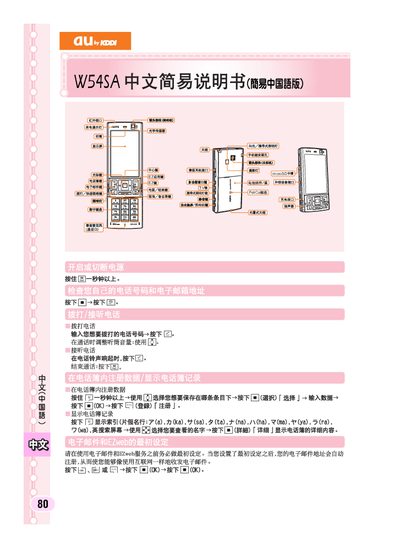
This guide provides the essential steps to get your au by KDDI W54SA mobile phone up and running. It explains the first‑time configuration of the EZweb service, how to register the device, and how to access the main folder and address book.
It also describes basic operations such as sending and receiving short messages, using mute mode, and creating new messages. The instructions are presented in short, step‑by‑step form suitable for first‑time users. This manual is written in Chinese.
Press and hold the mute button for more than one second to activate mute mode.