
This document is the user manual of VS17G / VS18B Freelance Digital Camera. It introduces the features and characteristics of the camera.
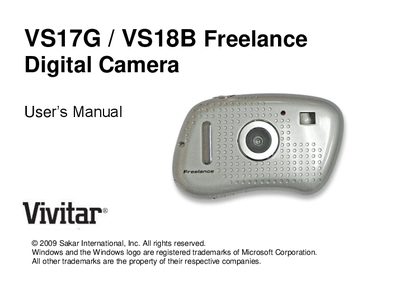
The Vivitar VS17G VS18B Freelance Digital Camera User Manual outlines the camera's features, included accessories, and system requirements for Windows and Macintosh computers. It details how to insert batteries, navigate camera modes, and use the Image Zone software for photo transfer and editing.
| Image Sensor | 1.3M Pixels (1280X1024) |
|---|---|
| Image Resolution | SXGA (1280x1024), 640x480, 320x240 |
| Focus | f=8.3mm |
| Aperture | 1: 3.0 |
| Illumination | 100 – 16000 (lux) |
| File Format | JP / AVI |
| Interface | USB 1.1 |
| Power Supply | 2 AAA Battery or USB cable |
| Operating Systems | Windows XP, Vista and Mac X 10.4.6 (or higher) |
Ensure photos are taken with the camera and that the Image Zone software and camera driver are installed correctly.
Download photos to your computer as soon as possible to prevent data loss.
Yes, the device works as a digital camera and webcam on Macintosh computers.
Connect the camera to an available USB port or hub and open the webcam application.