
This document is the user manual for ViviCam X025 digital camera, which introduces the accessories, parts, initial setup, main modes, technical specifications, usage, software installation, connecting to computer, transferring photos and videos, camera maintenance, technical support and troubleshooting.
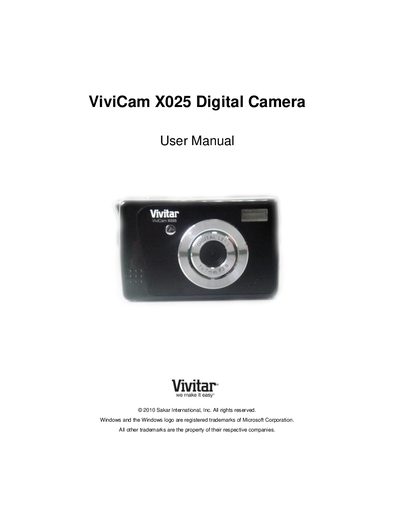
This user manual explains how to set up and operate the Vivitar ViviCam X025 digital camera, including inserting batteries and an SD card, selecting modes, and navigating menus.
It also describes photo and video capture and playback, installing the Vivitar Experience Image Manager software, connecting the camera to a computer, transferring media, camera maintenance, warranty, technical support, and troubleshooting.
| Image Sensor | CMOS Sensor |
|---|---|
| Image Resolution | 10M (3648x2736), 8M (3264x2736), 7M HD (3648x2048), 5M (2592x1944), 3M (2048x1536), 2M HD (1920x1080), VGA (640x480) |
| Video Resolution | 640X480 pixels (30 fps), 320X240 pixels (30 fps) |
| File Format | JPEG/AVI |
| Internal Memory | 1 Test Photo Use Only |
| External Memory | SD Card (up to 32GB) |
| LCD Display | 2.4 Inch TFT |
| Lens | f=7mm F3.0 |
| Zoom | 4X Digital Zoom |
| Exposure | -3.0EV ~ +3.0EV |
| White Balance | Auto, Daylight, Cloudy, Incandescent, Fluorescent |
| ISO | Auto / 100 / 200 / 400 |
| Scene | Auto / Scenery / Portrait / Night Scenery / Night Portrait / High Sensitivity / Sport / Beach / Party |
| Flash | Auto/Force/Red Eye/Off |
| Self-Timer | 2, 5 or 10 second delay |
| Anti-Shake | Yes |
| Print Photos | Yes |
| Face Detect | Yes |
| Smile Capture | Yes |
| Interface | USB 2.0 |
| System Requirements | Windows XP and above / Mac OSX 10.5 and above |
| Battery | 3 * AAA (1.5V) batteries |
| Working Temperature | 0~40 ℃ |
The camera needs an SD Memory card up to 32GB for normal use, and it is not included.
The camera uses 3 AAA (1.5V) batteries.
Connect the camera with the USB cable, wait for MSDC to appear on the LCD, open the DCIM folder, and copy the media files to your computer.
The working temperature is 0~40 ℃.